Pattern viewer for forum threads

For discussion directly related to ConwayLife.com, such as requesting changes to how the forums or home page function.
User avatar
muzik
Posts: 6558
Joined: January 28th, 2016, 2:47 pm
Location: Scotland

Re: Pattern viewer for forum threads

Post by muzik »

muzik wrote: October 21st, 2025, 6:34 pmFor the triangular neighbourhood, we also see biases towards orthogonally adjacent cells in the left-right direction but not the other two orthogonal directions.
Perhaps a clearer explanation of this effect - try drawing a straight line fast between each of the two provided triangles in these three example patterns:

Code: Select all

x = 33, y = 2, rule = B/S0123LE
$o31bo!
[[ GRID ]]

Code: Select all

x = 17, y = 18, rule = B/S0123LE
$16bo16$o!
[[ GRID ]]

Code: Select all

x = 17, y = 18, rule = B/S0123LE
$o16$16bo!
[[ GRID ]]
The outcomes will look a bit like these - for the first, we correctly get a continuous triangle strip with both orientations, whereas for the latter two we more often get a bunch of same-orientation triangles connected at a vertex, with the orientation only occasionally switching:

Code: Select all

x = 47, y = 8, rule = B/S0123LE
$22bo23bo$23bo21bo$24bo19bo$b13o11bo17bo$26bo15bo$27bo13bo$28bo11bo!
[[ GRID ]]
Anyway, for higher priority stuff, here's an easily reproducible crash which seemingly only occurs on LifeViewer Standard:

Code: Select all

x = 124, y = 138, rule = R100,C0,S5611-9775,B5612-7585,NN:T3000,800
73b12o$68b21o$65b27o$62b33o$60b37o$57b42o$54b46o$51b51o$49b55o$46b59o$
43b63o$40b68o$36b73o$32b78o$28b83o$25b87o$22b91o$19b95o$17b98o$15b101o
$14b103o$12b105o$11b107o$10b109o$9b110o$9b111o$8b113o$8b113o$7b115o$7b
115o$6b116o$6b117o$6b117o$5b118o$5b119o$5b119o$5b119o$4b120o$4b120o$4b
120o$4b120o$3b121o$3b121o$3b121o$3b121o$3b121o$2b17o46b59o$2b16o52b54o
$2b16o54b52o$2b16o57b49o$2b16o58b47o$2b15o59b47o$b16o60b46o$b16o61b45o
$b16o61b45o$b16o62b44o$b15o63b44o$b15o63b44o$16o64b43o$16o64b43o$16o
64b43o$16o65b41o$16o65b41o$16o65b41o$16o65b41o$16o65b41o$16o66b40o$16o
66b40o$16o66b40o$16o66b40o$16o66b40o$16o66b40o$16o65b41o$16o65b41o$16o
65b41o$16o65b41o$16o65b41o$16o64b43o$16o64b43o$16o64b43o$b15o63b44o$b
15o63b44o$b16o62b44o$b16o61b45o$b16o61b45o$b16o60b46o$2b15o59b47o$2b
16o58b47o$2b16o57b49o$2b16o54b52o$2b16o52b54o$2b17o46b59o$3b121o$3b
121o$3b121o$3b121o$3b121o$4b120o$4b120o$4b120o$4b120o$5b119o$5b119o$5b
119o$5b118o$6b117o$6b117o$6b116o$7b115o$7b115o$8b113o$8b113o$9b111o$9b
110o$10b109o$11b107o$12b105o$14b103o$15b101o$17b98o$19b95o$22b91o$25b
87o$28b83o$32b78o$36b73o$40b68o$43b63o$46b59o$49b55o$51b51o$54b46o$57b
42o$60b37o$62b33o$65b27o$68b21o$73b12o!
[[ AUTOSTART ]]
I've also noticed that builds 233 and 234 appear to be duplicated in the changelog. There don't appear to be any gaps before or after this that I can see, so I don't know what changes correspond to what versions, or if something strange with versioning happened in this era.
Parity Replicator Collection v1.6 is now live - please send all relevant discoveries here.
User avatar
rowett
Moderator
Posts: 4570
Joined: January 31st, 2013, 2:34 am
Location: UK
Contact:

Re: Pattern viewer for forum threads

Post by rowett »

muzik wrote: October 22nd, 2025, 7:12 pm ...here's an easily reproducible crash which seemingly only occurs on LifeViewer Standard:
Fixed in build 1336.
muzik wrote: October 22nd, 2025, 7:12 pm I've also noticed that builds 233 and 234 appear to be duplicated in the changelog.
Fixed, thanks.
User avatar
muzik
Posts: 6558
Joined: January 28th, 2016, 2:47 pm
Location: Scotland

Re: Pattern viewer for forum threads

Post by muzik »

There appears to be an issue with calculating population for high-range rules when something crosses a torus border - note how there's a bump in population specifically only when the bug crosses from one side to the other:

Code: Select all

x = 124, y = 138, rule = R100,C0,S5611-9775,B5612-7585,NN:T800,800
73b12o$68b21o$65b27o$62b33o$60b37o$57b42o$54b46o$51b51o$49b55o$46b59o$
43b63o$40b68o$36b73o$32b78o$28b83o$25b87o$22b91o$19b95o$17b98o$15b101o
$14b103o$12b105o$11b107o$10b109o$9b110o$9b111o$8b113o$8b113o$7b115o$7b
115o$6b116o$6b117o$6b117o$5b118o$5b119o$5b119o$5b119o$4b120o$4b120o$4b
120o$4b120o$3b121o$3b121o$3b121o$3b121o$3b121o$2b17o46b59o$2b16o52b54o
$2b16o54b52o$2b16o57b49o$2b16o58b47o$2b15o59b47o$b16o60b46o$b16o61b45o
$b16o61b45o$b16o62b44o$b15o63b44o$b15o63b44o$16o64b43o$16o64b43o$16o
64b43o$16o65b41o$16o65b41o$16o65b41o$16o65b41o$16o65b41o$16o66b40o$16o
66b40o$16o66b40o$16o66b40o$16o66b40o$16o66b40o$16o65b41o$16o65b41o$16o
65b41o$16o65b41o$16o65b41o$16o64b43o$16o64b43o$16o64b43o$b15o63b44o$b
15o63b44o$b16o62b44o$b16o61b45o$b16o61b45o$b16o60b46o$2b15o59b47o$2b
16o58b47o$2b16o57b49o$2b16o54b52o$2b16o52b54o$2b17o46b59o$3b121o$3b
121o$3b121o$3b121o$3b121o$4b120o$4b120o$4b120o$4b120o$5b119o$5b119o$5b
119o$5b118o$6b117o$6b117o$6b116o$7b115o$7b115o$8b113o$8b113o$9b111o$9b
110o$10b109o$11b107o$12b105o$14b103o$15b101o$17b98o$19b95o$22b91o$25b
87o$28b83o$32b78o$36b73o$40b68o$43b63o$46b59o$49b55o$51b51o$54b46o$57b
42o$60b37o$62b33o$65b27o$68b21o$73b12o!
[[ AUTOSTART GRAPH ]]
Rotating any selection in a partially bounded grid does not appear to be possible for some reason - we get an error saying it doesn't fit even though it clearly does.

Code: Select all

x = 3, y = 3, rule = B/S01234V:T0,11
2bo$obo$3o!
Another Nudge Selection issue: you can't move this any further to the right than it is. Expected behaviour would be for this to succeed, and load this new area if necessary, as can be seen to happen on unbounded grids.

Code: Select all

x = 1, y = 1, rule = B/S01234V:T0,11
!
[[ PASTE 3o$obo$3o! 252 -1 ]]

Code: Select all

x = 1, y = 1, rule = B/S01234V
!
[[ PASTE 3o$obo$3o! 252 -1 ]]
Is it correct that the neighbour shader counts diagonally adjacent cells in von Neumann rules, or should these be excluded since they have no direct influence on a given central cell?

Code: Select all

x = 7, y = 12, rule = B/S01234V
4bobo$bo3bo$4bobo3$7o$7o$7o$3ob3o$7o$7o$7o!
[[ SHADER Neighbor ]]
When changing themes with script commands, cells will fade, but grid lines change instantly, which is jarring:

Code: Select all

x = 2, y = 3, rule = B3/S2-i3
o$2o$o!
[[ AUTOSTART GRID GPS 5 COLOR GRID 0 96 0 COLOR GRIDMAJOR 0 192 0 GRIDMAJOR 0 ZOOM 16 X 5 T 20 T 100 THEME Book ]]
What exactly was the situation with builds 233 and 234, anyway? The contents were different across duplicate numbers in the changelog.
Parity Replicator Collection v1.6 is now live - please send all relevant discoveries here.
User avatar
rowett
Moderator
Posts: 4570
Joined: January 31st, 2013, 2:34 am
Location: UK
Contact:

Re: Pattern viewer for forum threads

Post by rowett »

muzik wrote: October 23rd, 2025, 5:17 am There appears to be an issue with calculating population for high-range rules when something crosses a torus border
Fixed in build 1337.
muzik wrote: October 23rd, 2025, 5:17 am Rotating any selection in a partially bounded grid does not appear to be possible for some reason
Fixed in build 1337.
muzik wrote: October 23rd, 2025, 5:17 am Is it correct that the neighbour shader counts diagonally adjacent cells in von Neumann rules
Yes but the neighbour shader is a prototype.
muzik wrote: October 23rd, 2025, 5:17 am What exactly was the situation with builds 233 and 234, anyway? The contents were different across duplicate numbers in the changelog.
The "duplicate" 233 and 234 builds were from a test branch and erroneously got into the release notes.
User avatar
muzik
Posts: 6558
Joined: January 28th, 2016, 2:47 pm
Location: Scotland

Re: Pattern viewer for forum threads

Post by muzik »

rowett wrote: February 26th, 2024, 3:35 amIt will disappear when the pinch to zoom support is complete.
If I may ask what remains to be done before pinch-zoom can be considered feature-complete? The only thing I've noticed besides the extra debug information is that it zooms into the center of the pattern rather than the midpoint of the two touched areas. Otherwise the functionality seems fine to me.
Parity Replicator Collection v1.6 is now live - please send all relevant discoveries here.
User avatar
rowett
Moderator
Posts: 4570
Joined: January 31st, 2013, 2:34 am
Location: UK
Contact:

Re: Pattern viewer for forum threads

Post by rowett »

muzik wrote: October 23rd, 2025, 12:33 pm If I may ask what remains to be done before pinch-zoom can be considered feature-complete? The only thing I've noticed besides the extra debug information is that it zooms into the center of the pattern rather than the midpoint of the two touched areas. Otherwise the functionality seems fine to me.
The midpoint.
Citation needed
Posts: 682
Joined: April 1st, 2021, 1:03 am

Re: Pattern viewer for forum threads

Post by Citation needed »

The "Identify" button no longer works if the pattern contains "PASTE".

Code: Select all

x = 0, y = 0, rule = B3/S23
o$bo$o!
[[ PASTEDELTA 3 0 PASTET EVERY 1 1 PASTE o$bo$o! 3 0 ]] 

User avatar
hotcrystal0
Posts: 4340
Joined: July 3rd, 2020, 5:32 pm
Location: wherever you think I am

Re: Pattern viewer for forum threads

Post by hotcrystal0 »

Citation needed wrote: October 24th, 2025, 8:59 pm The "Identify" button no longer works if the pattern contains "PASTE".

Code: Select all

x = 0, y = 0, rule = B3/S23
o$bo$o!
[[ PASTEDELTA 3 0 PASTET EVERY 1 1 PASTE o$bo$o! 3 0 ]] 

I think this is intentional.
rowett wrote: August 8th, 2025, 2:53 pm Build 1313 is now available on the lazyslug server

Fixes in this build:
  • fixed hexagonal grid not displaying final row
  • disable Identify when PASTEs are defined
  • fixed Rule Table rules not reloading correctly from cache in Pro
wherever I go on the internet I bring with myself nothing but problems.

Code: Select all

x = 192, y = 53, rule = B3/S23
33$42b4o$41b6o$40b2ob4o$41b2o3$41b2o$39bo6bo$38bo8bo$38bo8bo$38b9o3$42b
4o$41b6o$40b2ob4o$41b2o!
User avatar
muzik
Posts: 6558
Joined: January 28th, 2016, 2:47 pm
Location: Scotland

Re: Pattern viewer for forum threads

Post by muzik »

How exactly is pausing after all cells have died supposed to work? For this specific example, expansion to the right happens in both time directions. If we run this forward, it hits the edge and disappears as expected. If we reverse playback then play again, PASTE will create a new cell at T 0 which then expands to the right as time continues backwards, and it hits the edge and gets deleted again as you'd expect, but this time it doesn't pause. Is this some intentional side effect of PASTE stopping the automatic pausing in case there are other future pastes to be dealt with, or is this unintentional and to be fixed? Notably, there's no "Life ended at" message for the second death.

Code: Select all

x = 1, y = 1, rule = 2PCA4,0,1,11,6,4,5,7,10,12,13,9,14,3,2,8,15
!
[[ MAXGRIDSIZE 9 PASTE L! 240 0 ZOOM 16 ]]
Note that this isn't specific to the backwards playback direction; REVERSESTART (or clicking the reverse button before initial playback) will result in much the same happening after the second death:

Code: Select all

x = 1, y = 1, rule = 2PCA4,0,1,11,6,4,5,7,10,12,13,9,14,3,2,8,15
!
[[ MAXGRIDSIZE 9 PASTE L! 240 0 ZOOM 16 REVERSESTART ]]
Reading through the secret moderator thread has been interesting. I'm especially surprised that 3D rule support was at some point planned. Were there any attempts at actually implementing this, or were there always more important things that came before it before anything could be done?

...what exactly is on the backlog nowadays, anyway? The file on GitHub doesn't appear to have been touched in years, so I can only assume that it isn't being used anymore at this point (and may be worth deleting if so to free up space).
Parity Replicator Collection v1.6 is now live - please send all relevant discoveries here.
User avatar
hotcrystal0
Posts: 4340
Joined: July 3rd, 2020, 5:32 pm
Location: wherever you think I am

Re: Pattern viewer for forum threads

Post by hotcrystal0 »

Can a script that allows you to change the rule on a tick while the simulation is running (maybe like T 5 RULE B3/S23 or something like that) be added?
wherever I go on the internet I bring with myself nothing but problems.

Code: Select all

x = 192, y = 53, rule = B3/S23
33$42b4o$41b6o$40b2ob4o$41b2o3$41b2o$39bo6bo$38bo8bo$38bo8bo$38b9o3$42b
4o$41b6o$40b2ob4o$41b2o!
User avatar
rowett
Moderator
Posts: 4570
Joined: January 31st, 2013, 2:34 am
Location: UK
Contact:

Re: Pattern viewer for forum threads

Post by rowett »

muzik wrote: October 26th, 2025, 1:16 pm I'm especially surprised that 3D rule support was at some point planned. Were there any attempts at actually implementing this, or were there always more important things that came before it before anything could be done?
I did a fair amount of work on optimizing Andrew's 3d.lua in Golly. Sadly, the 3D rule support in Golly wasn't widely used so I decided it wasn't worth the effort in bringing it into LifeViewer.
User avatar
muzik
Posts: 6558
Joined: January 28th, 2016, 2:47 pm
Location: Scotland

Re: Pattern viewer for forum threads

Post by muzik »

When using the full screen button on a popup viewer which is wider than the screen it's being displayed on, the actual size of the popup does not change. The button sizes change, so clearly it's doing something, but the actual window remains the same shape.

Code: Select all

# this maximizes correctly on a 1080p display
x = 11, y = 3, rule = B3-y5cr/S234w6n
2o2b2o$2obo2bo2b2o$4b2o3b2o!
[[ POPUPWIDTH 1900 ]]

Code: Select all

# but this one does not
x = 11, y = 3, rule = B3-y5cr/S234w6n
2o2b2o$2obo2bo2b2o$4b2o3b2o!
[[ POPUPWIDTH 1920 ]]
Interestingly, if we push even farther past this point, they maximize just fine again:

Code: Select all

# does not maximize correctly
x = 11, y = 3, rule = B3-y5cr/S234w6n
2o2b2o$2obo2bo2b2o$4b2o3b2o!
[[ POPUPWIDTH 3999 ]]

Code: Select all

# maximizes correctly
x = 11, y = 3, rule = B3-y5cr/S234w6n
2o2b2o$2obo2bo2b2o$4b2o3b2o!
[[ POPUPWIDTH 4000 ]]
...at least, until it doesn't (I assume these values are display-dependent, so these are what work or not for me; you may want to change these values according to your own monitor):

Code: Select all

# maximizes correctly
x = 11, y = 3, rule = B3-y5cr/S234w6n
2o2b2o$2obo2bo2b2o$4b2o3b2o!
[[ POPUPWIDTH 4095 ]]

Code: Select all

# does not maximize correctly
x = 11, y = 3, rule = B3-y5cr/S234w6n
2o2b2o$2obo2bo2b2o$4b2o3b2o!
[[ POPUPWIDTH 4096 ]]
A fullscreen-related suggestion: since the zoom bar was made to widen, could the playback speed slider do the same thing? I find that when moving it via touch or mouse, certain desired speed values are often skipped. While using the keyboard shortcuts are an effective workaround, I don't always have access to a keyboard.

If we click on Show in Viewer the first time, it loads and plays as you'd expect it to. If we click it a second time, this exact same pattern is rejected for being too big. I'd expect that attempting the same action on the same pattern twice in a row would yield identical results, which is not what happens here.

Code: Select all

x = 138, y = 124, rule = R100,C0,M1,S5612..9776,B5612..7585,NN
34b17o38b14o$30b31o16b30o$28b81o$26b85o$25b88o$23b92o$22b94o$20b97o$
19b100o$18b102o$17b104o$16b106o$15b108o$14b110o$13b112o$12b114o$11b
116o$11b116o$10b118o$9b120o$9b120o$8b122o$7b124o$7b124o$6b126o$6b126o$
5b128o$5b128o$4b130o$4b130o$3b132o$3b132o$2b133o$2b134o$2b134o$b135o$b
136o$b136o$b136o$137o$137o$137o$66o6b66o$61o16b61o$58o22b58o$55o28b55o
$53o32b53o$52o34b52o$50o38b49o$50o38b49o$49o40b48o$49o40b48o$b47o42b
47o$b47o42b47o$b47o42b46o$b46o44b45o$2b45o44b45o$2b45o44b44o$2b45o44b
44o$3b44o45b43o$3b43o46b42o$3b43o46b42o$4b42o46b42o$4b42o46b41o$4b42o
46b41o$5b41o46b41o$5b41o46b40o$5b41o46b40o$6b40o46b40o$6b40o46b39o$7b
39o46b39o$7b39o46b39o$7b39o46b38o$8b38o46b38o$8b38o46b38o$9b37o46b37o$
9b37o46b37o$9b37o46b36o$10b36o46b36o$10b36o46b36o$10b36o46b35o$11b35o
46b35o$11b35o47b34o$11b35o47b34o$12b34o47b33o$12b34o46b34o$12b34o46b
34o$13b34o45b33o$13b34o45b33o$13b34o46b32o$13b34o46b32o$13b34o46b32o$
14b33o46b31o$14b33o46b31o$14b33o45b32o$14b33o45b32o$15b32o46b30o$15b
32o46b30o$15b32o46b30o$16b31o46b29o$16b31o46b29o$16b31o46b29o$17b30o
46b28o$17b30o46b28o$18b29o46b27o$18b29o44b29o$19b32o36b33o$19b37o25b
38o$20b99o$20b98o$21b96o$21b96o$22b94o$23b92o$24b90o$26b86o$28b82o$31b
76o$34b70o$37b64o$41b55o$46b45o$52b34o$58b22o!
[[ MAXGRIDSIZE 10 AUTOSTART ZOOM 2 Y -256 ]]
If you open one of those big viewers first, then one of the viewers on this page that doesn't specify POPUPWIDTH, the weirdly thin top bar will be carried over. I don't know if it'd be possible to enforce the usual thickness of the top bar across all viewers to prevent this.
rowett wrote: September 29th, 2019, 11:59 am There's no need at the moment since there's only one algo per rule family.
  1. 2-state range 1 rules use a tile-based algo with 4 cell array lookup supporting:
    • Wolfram
    • Moore
    • von Neumann
    • Hexagonal
    • MAP
  2. 2-state range 1 Triangular neighbourhood rules use a variant of algo 1
  3. Margolus neighbourhood rules use another variant of algo 1
  4. [R]History rules use algo 1 (or 2 for Triangular) with pre and post processing to deal with state 6
    • states 3-5 are handled by the renderer
  5. History and longevity is a post processing step
  6. Generations rules use algo 1 (or 2) and then a variant of the History post processing step
  7. HROT/LtL rules use a different algo with 2 variants: 2 state and multi-state
Several new rulespaces have been added since this message (e.g. [R]Super, [R]Investigator, odd Wolfram rule emulation, PCA, rule tables and fast lookup, as well as the removal of triangular [R]History). How does this work nowadays? Are B0, alternating rules and tripod rules handled by the first?
Parity Replicator Collection v1.6 is now live - please send all relevant discoveries here.
User avatar
rowett
Moderator
Posts: 4570
Joined: January 31st, 2013, 2:34 am
Location: UK
Contact:

Re: Pattern viewer for forum threads

Post by rowett »

muzik wrote: October 27th, 2025, 7:25 am Several new rulespaces have been added since this message (e.g. [R]Super, [R]Investigator, odd Wolfram rule emulation, PCA, rule tables and fast lookup, as well as the removal of triangular [R]History). How does this work nowadays? Are B0, alternating rules and tripod rules handled by the first?
  • The Hex Tripod rule (2-state) is handled by algo 1
  • [R]Super uses algo 1 and then a multi-state post processing step
  • [R]Investigator uses it's own algo
  • RuleLoader uses a family of algos for RuleTree and RuleLoader including Fast Lookup variants
  • Odd Wolfram uses the RuleLoader algo
  • PCA uses it's own algo
The RuleLoader family do not support alternating rules (which includes Odd Wolfram rules since they use the Fast Lookup algo for emulation).
User avatar
muzik
Posts: 6558
Joined: January 28th, 2016, 2:47 pm
Location: Scotland

Re: Pattern viewer for forum threads

Post by muzik »

I think rule validation is incorrectly assuming that rule tables whose names end in l are triangular rules, blocking the second pattern from being run when the first implies that it should in fact be valid:

Code: Select all

x = 1, y = 1, rule = B135/S135H:P2187
o!

Code: Select all

x = 1, y = 1, rule = Fredkin_mod3_hexagonal:P2187
A!
I think this may also be why this displays a triangular cell rather than a hexagonal cell:

Code: Select all

x = 1, y = 1, rule = Fredkin_mod3_hexagonal|Fredkin_mod5_hexagonal
A!
The second pattern runs fine on the LifeViewer Pro page, but is rejected in viewer.html; is the latter just incapable of accessing ruletables?

I also tried benchmarking this pattern in LifeViewer Pro, but the results seem unchanged depending on whether I use the WSM engine or not. Has this rulespace just not been touched yet?

Code: Select all

x = 5, y = 4, rule = 2PCA4,0,1,2,3,4,5,6,13,8,9,10,14,12,7,11,15
GNGNK$GO3G$GKMNG$G3OG!
Standard: 59.5s / 31.7s / 91.2s
Pro: 59.2s / 32.0s / 91.1s

I have a suspicion that, like snow was previously, that the visual transition when changing themes via scripts is tied to the current refresh rate. On a 60Hz display, this theme change takes about a second. On a 144hz display, that change is over twice as fast.

Code: Select all

x = 2, y = 4, rule = B2/S
o$bo$bo$o!
[[ X 10 AUTOSTART GPS 4 T 10 T 20 THEME Day ]]
There should be another github pull request up to change a string I intended to one of the previous times but didn't.
Parity Replicator Collection v1.6 is now live - please send all relevant discoveries here.
User avatar
R2INT
Posts: 775
Joined: July 2nd, 2024, 7:42 pm

Re: Pattern viewer for forum threads

Post by R2INT »

rowett wrote: October 27th, 2025, 8:21 am [...]
  • RuleLoader uses a family of algos for RuleTree and RuleLoader including Fast Lookup variants
[...]
What is the Fast Lookup algorithm?
Range-2 INT
R2INT's Rule Collection

Currently missing OCA catalyst search software and OCA conduit search software (the one I have is hardcoded to B3/S23-a5)
User avatar
rowett
Moderator
Posts: 4570
Joined: January 31st, 2013, 2:34 am
Location: UK
Contact:

Re: Pattern viewer for forum threads

Post by rowett »

R2INT wrote: October 27th, 2025, 9:50 am What is the Fast Lookup algorithm?
The Fast Lookup algorithm is automatically used to accelerate RuleTable and RuleTree pattern iteration if the rule meets one of the following conditions:
  • Moore neighbourhood and 2 to 8 states
  • Hex neighbourhood and 2 to 8 states
  • von Neumann neighbourhood and 2 to 32 states
It also partially accelerates RuleTree Moore neighbourhood rules with 9 to 16 states.

The RuleTree algo needs to do a bunch of nested lookups to determine the next state of each cell. The number is lookups is the neighbourhood size (9 for Moore, 7 for Hex, and 5 for von Neumann).

The RuleTable algo needs to search a compressed set of look up tables to find the next state of each cell. The size of the LUTs is loosely determined by the number of rules in the RuleTable definition. For a complex RuleTable this search can take a "long" time.

So in almost all cases the RuleTree algo is faster than the RuleTable algo.

If a RuleTable or RuleTree rule meets the above criteria then LifeViewer switches the algo for the Fast Lookup algo which can determine the next state of each cell in a single lookup. It does this by building an in-memory lookup table. The reason there are limits in the number of states is because of how much memory would be needed for larger numbers of states.

So in every supported case the Fast Lookup algo is significantly faster than both RuleTree and RuleTable algos.
User avatar
rowett
Moderator
Posts: 4570
Joined: January 31st, 2013, 2:34 am
Location: UK
Contact:

Re: Pattern viewer for forum threads

Post by rowett »

muzik wrote: October 27th, 2025, 8:57 am I think rule validation is incorrectly assuming that rule tables whose names end in l are triangular rules, blocking the second pattern from being run when the first implies that it should in fact be valid:
Fixed in build 1338.
User avatar
muzik
Posts: 6558
Joined: January 28th, 2016, 2:47 pm
Location: Scotland

Re: Pattern viewer for forum threads

Post by muzik »

Now that we use the multiplication symbol for close buttons, would it also make sense to use it for the playback speed slider (since it literally means multiplication in this specific sense)?

If we enter Help > Info with the first rule active, LifeViewer crashes. The second one does not crash if we do the same thing, so I assume this also arises due to the rulestring ending with L.

Code: Select all

x = 1, y = 1, rule = Fredkin_mod3_hexagonal
A!

Code: Select all

x = 1, y = 1, rule = HexBuss
A!
Speaking of Help, this will cause buttons to intersect other buttons or even be drawn offscreen:

Code: Select all

x = 1, y = 1, rule = B/S01234V
!
[[ LABEL 0 0 16 "maximize this popup\n then close it" ]]

Code: Select all

x = 1, y = 1, rule = B/S01234V
!
[[ POPUPHEIGHT 320 LABEL 0 0 16 "open Help then\nexit fullscreen mode" ]]
Since LifeViewer Pro supports a step size of 96 but Standard does not: could script commands setting the step size to any value from 65 to 96 inclusive set it to 64 if Pro isn't in use? Since some browsers won't support the WASM engine I don't think we should be constantly bombarding them with errors to remind them that their browser isn't good enough once Pro is finalised and rolled out to the forums. STEP 97 and beyond would still show an error (unless the step size was increased beyond 96, in which case exceeding the new ceiling would cause an error).

Code: Select all

#N Snarkmaker pattern except I replaced the STEP 64 with STEP 96 so the slow salvo runs faster
x = 1, y = 1, rule = B3/S23
!
#C [[ X 40 Y 10 Z 2 STEP 9 ]]
#C [[ COLOR LABEL Orange LABELSIZE 32 ]]
#C [[ LABELT 0 1000 0 LABEL 110 -20 2 "Snarkmaker\nSnarkmaker,\nmake me a Snark --" ]]
#C [[ COLOR LABEL LightGreen LABELSIZE 28 ]]
#C [[ LABELT 0 3000 100 LABEL -10 100 2 "recipe to create an offset block" ]]
#C [[ LABELT 4000 9000 100 LABEL -10 100 2 "line up elbow with new block\n(two parts)" ]]
#C [[ LABELT 9500 12000 100 LABEL -10 100 2 "duplicate the elbow,\ncreate a 0-degree elbow" ]]
#C [[ LABELT 12800 14600 100 LABEL -10 100 2 "move 0-degree elbow\naway from the block target" ]]
#C [[ LABELT 15500 252000 100 LABEL -10 100 2 "0-degree slow salvo recipe" ]]
#C [[ LABELT 253000 255000 100 LABEL -10 100 2 "remove 0-degree elbow" ]]
#C [[ LABELT 256000 263000 100 LABEL -10 100 2 "push new elbow back\n(optional)" ]]
#C Define block pattern
#C [[ RLE block 2o$2o! ]]
#C [[ RLE glider 2o$obo$o! ]]
#C [[ PASTE block ]]
#C [[ PASTEMODE OR ]]
#C [[ RLE elbow_to_block 2o$obo$o25$28bo$27b2o$27bobo21$50b2o$50bobo$50bo21$74bo$73b2o$73bobo21$96b2o$95b2o$97bo31$129b2o$128b2o$130bo27$157b3o$157bo$158bo29$190bo$189b2o$189bobo21$212b2o$212bobo$212bo21$234b3o$234bo$235bo20$258bo$257b2o$257bobo22$281b2o$281bobo$281bo21$303b3o$303bo$304bo26$332b2o$332bobo$332bo39$372b3o$372bo$373bo56$431b2o$430b2o$432bo38$470b3o$470bo$471bo20$493b2o$493bobo$493bo37$532b2o$531b2o$533bo29$564bo$563b2o$563bobo22$586b3o$586bo$587bo27$616b2o$616bobo$616bo21$638b3o$638bo$639bo20$662bo$661b2o$661bobo21$684b2o$683b2o$685bo! ]]
#C [[ PASTE elbow_to_block 4 0 ]]
#C elbow_to_block = 0 109 91 93 90 132 115 127 91 90 91 95 90 114 162 233 159 90 155 126 93 118 90 91 90 1114
[[ PASTET 4000 109 91 94 91 91 92 90 169 91 90 116 90 113 1114 109 91 93 91 156 91 91 94 90 91 140 91 103 91 91 132 1114 109 90 93 91 91 90 90 100 90 90 146 96 90 90 90 92 156 144 1114 109 91 93 91 132 115 102 90 91 91 91 90 90 154 1122 93 91 118 91 151 90 159 91 92 90 136 90 90 154 90 101 104 165 129 91 109 91 93 91 97 90 91 111 91 116 91 94 330 91 90 95 91 90 90 91 123 90 91 152 90 90 93 91 116 91 131 91 95 188 113 91 91 147 122 91 173 91 91 133 247 92 90 109 91 93 91 129 148 91 93 154 90 134 91 91 90 91 91 111 91 91 91 91 91 109 90 93 91 91 158 94 113 91 90 91 96 90 142 91 109 91 94 91 91 179 91 90 94 91 114 90 166 90 90 90 91 117 90 96 90 90 95 91 91 109 91 93 90 156 91 91 94 91 90 147 117 91 144 90 91 128 100 91 90 105 91 91 109 91 94 91 91 124 91 105 90 169 91 90 116 91 142 90 90 91 109 91 93 91 92 91 90 90 95 102 91 91 91 130 91 90 136 91 91 119 113 90 91 114 90 109 91 94 91 91 179 91 90 94 91 102 91 151 90 90 101 90 91 125 184 90 90 90 109 91 94 91 91 179 91 90 94 91 102 91 151 90 90 101 90 91 125 184 90 90 90 109 91 93 90 140 150 132 212 103 90 98 90 148 90 90 91 91 91 119 101 108 90 91 91 119 90 109 91 94 91 90 99 90 112 90 91 105 90 121 118 103 90 144 117 95 91 109 91 93 91 92 91 90 90 95 102 91 91 91 130 91 90 136 91 91 119 113 90 91 114 91 109 90 93 91 91 181 90 95 110 114 100 160 90 143 91 119 90 106 129 109 91 93 91 92 91 90 90 162 91 91 90 129 91 113 90 90 90 90 109 91 93 90 140 150 142 91 90 111 91 91 193 97 91 91 155 90 98 90 91 93 91 151 90 139 180 103 115 167 91 120 139 135 91 91 170 109 91 93 90 155 106 91 121 90 90 91 137 90 232 90 91 91 94 90 171 90 91 103 102 109 91 93 91 137 90 166 91 102 90 104 91 96 96 91 90 90 90 166 90 90 93 90 91 109 91 94 91 91 124 91 105 91 119 91 132 99 90 90 90 150 160 116 91 91 91 90 96 90 90 109 91 93 90 171 90 90 91 90 91 90 91 129 144 90 90 120 90 91 91 169 90 91 109 91 93 91 118 90 91 91 91 104 219 91 135 105 154 90 91 164 91 132 90 90 140 94 93 90 96 90 90 91 149 90 90 161 100 109 91 93 91 92 91 90 90 124 91 142 90 90 91 91 112 90 102 102 103 90 90 90 117 112 90 189 90 90 109 91 93 91 92 91 90 90 162 91 91 90 129 91 113 90 90 90 90 109 91 93 91 92 90 97 91 116 91 145 90 91 98 90 90 188 91 91 91 90 115 91 109 91 93 91 97 91 90 91 120 91 117 91 123 90 118 91 146 110 160 90 109 91 93 90 129 148 90 93 90 143 96 92 90 165 90 118 90 90 91 91 109 91 94 91 91 93 90 158 90 91 90 90 116 104 109 91 94 91 91 167 90 90 91 95 90 90 148 90 151 90 90 136 134 155 115 103 91 109 91 93 90 155 106 91 121 90 90 91 137 90 232 90 91 91 94 90 171 90 91 103 101 109 91 94 91 91 136 91 91 90 168 90 90 110 90 90 93 91 111 91 91 90 132 91 91 93 91 118 90 137 91 173 93 158 90 90 90 118 90 91 90 151 154 167 91 133 90 119 178 155 90 90 90 109 91 94 91 91 95 91 90 93 218 142 90 91 161 90 138 90 162 91 90 140 95 109 109 91 93 91 92 91 98 201 91 129 90 90 90 90 90 103 90 108 90 104 90 109 91 93 90 129 148 90 93 90 143 96 92 90 165 90 118 90 90 91 91 109 91 94 91 91 179 91 90 94 91 111 90 90 90 171 91 110 91 154 90 132 91 109 91 94 91 91 124 90 144 90 90 90 165 119 90 104 90 100 90 90 91 109 91 93 91 92 91 90 90 162 91 91 90 129 91 113 90 90 90 91 109 91 94 91 91 95 91 90 93 218 172 90 90 90 116 112 341 107 106 90 163 91 90 109 91 93 90 169 90 91 103 91 133 90 90 91 91 90 110 91 93 90 112 171 90 109 91 94 91 91 171 91 90 113 90 97 114 90 105 90 139 90 113 90 106 98 121 90 109 91 94 91 91 124 90 142 90 90 146 91 153 90 102 91 152 108 97 91 109 91 94 91 91 124 90 170 90 90 91 90 99 91 90 91 110 121 161 117 115 137 90 91 90 109 90 93 91 91 128 90 139 91 90 97 91 124 157 91 90 90 129 144 91 91 147 130 91 90 90 91 90 140 90 92 90 90 109 91 93 90 156 91 91 102 91 91 90 90 106 91 166 90 125 91 90 126 91 109 91 94 91 91 179 91 90 94 91 102 91 151 90 90 101 90 91 125 184 90 90 90 93 91 151 90 139 180 103 115 167 91 120 139 135 91 91 170 109 90 93 91 91 128 90 139 91 90 97 91 124 157 91 90 90 129 144 91 91 147 130 91 90 90 91 90 140 90 92 90 90 109 91 93 91 145 215 114 91 121 91 150 91 91 153 91 141 90 91 91 90 123 91 109 90 101 169 213 133 195 90 132 143 91 139 138 158 151 99 91 108 99 91 90 91 91 90 91 131 91 109 91 93 90 156 91 91 96 132 91 91 106 91 90 119 185 91 96 90 132 90 91 90 142 109 91 94 91 91 124 90 170 90 90 91 90 99 91 90 91 110 121 161 117 115 137 90 91 90 109 91 93 90 155 106 91 121 90 90 91 137 90 232 90 91 91 94 90 171 90 91 103 102 109 91 93 90 129 148 91 102 91 91 145 178 91 115 90 90 91 104 90 90 92 249 90 90 91 109 91 94 91 90 152 91 90 91 117 90 91 111 91 91 118 90 145 90 100 116 90 90 99 90 109 91 94 91 91 128 126 90 161 151 90 109 91 90 90 94 144 106 90 94 90 90 90 109 91 94 91 91 124 91 105 90 169 91 90 116 91 142 90 90 91 109 91 93 90 140 150 108 91 90 111 91 91 194 98 90 169 90 109 91 94 91 91 141 90 171 90 155 90 111 91 90 130 90 91 90 97 90 90 109 91 94 91 91 121 90 90 90 90 90 90 99 90 165 119 90 106 90 90 91 109 91 94 91 91 93 90 95 90 113 90 99 90 156 90 90 90 138 170 109 91 94 91 91 92 90 169 90 90 90 107 90 90 91 90 95 91 91 109 91 93 90 171 90 90 91 90 91 90 91 129 144 90 90 120 90 91 91 169 90 91 109 90 95 245 90 131 135 90 90 154 90 91 91 91 111 90 90 91 91 128 91 96 91 109 91 94 91 91 124 91 105 91 119 91 132 99 90 90 90 150 160 116 91 91 91 90 96 90 91 93 91 116 91 151 90 109 111 127 91 113 91 169 186 90 90 158 91 90 90 90 117 91 160 90 91 96 90 90 91 109 91 94 91 90 95 91 90 147 167 90 160 90 160 104 90 90 91 91 101 139 91 90 136 129 90 109 91 93 91 123 91 118 90 91 108 91 91 90 90 90 90 143 91 92 177 129 101 167 91 90 90 91 130 127 90 137 91 93 90 91 91 94 229 107 91 90 104 91 91 101 91 91 93 90 119 90 133 90 91 93 145 91 132 91 109 91 93 91 137 90 166 91 102 90 104 91 96 96 91 90 90 90 166 90 90 93 90 90 109 90 93 91 91 128 90 139 91 90 97 91 124 157 91 90 90 129 144 91 91 147 130 91 90 90 91 90 140 90 92 90 91 123 270 90 125 90 90 90 94 137 123 90 145 136 90 91 100 91 105 91 153 91 90 145 155 109 91 93 91 92 91 139 90 91 91 90 96 130 97 91 164 90 97 91 90 91 114 90 90 118 90 90 123 270 90 125 90 90 90 94 137 123 90 145 136 90 91 100 91 105 91 153 91 90 145 155 109 90 93 91 91 148 91 90 151 90 91 163 108 151 112 144 90 149 90 90 99 90 109 91 94 91 91 124 91 126 91 140 162 148 90 90 119 90 91 109 91 93 91 155 106 91 91 96 90 90 91 108 90 156 90 90 120 90 112 91 99 91 109 91 93 91 129 148 91 93 154 90 134 91 91 90 91 91 111 91 91 91 91 90 109 91 93 91 129 148 91 93 154 90 134 91 91 90 91 91 111 91 91 91 91 90 109 91 93 91 129 149 91 90 90 142 219 90 99 91 109 115 92 185 91 109 90 93 91 91 142 90 98 90 91 125 114 127 90 111 90 109 91 93 91 130 91 90 134 90 90 103 122 156 112 90 183 117 91 152 141 90 98 90 91 93 91 116 91 131 91 95 188 113 91 91 147 122 91 173 91 91 133 247 92 91 109 91 93 90 156 91 91 94 91 90 147 117 91 144 90 91 128 100 91 90 105 91 91 93 91 116 91 106 91 155 90 106 90 167 90 90 91 148 123 111 155 91 105 90 90 92 90 124 90 91 109 91 94 91 91 95 91 90 97 143 171 90 105 90 91 144 91 90 90 90 94 90 90 90 109 91 93 91 92 90 158 90 94 270 172 130 90 91 91 96 90 90 147 91 109 91 93 91 92 90 162 90 129 91 91 91 90 137 99 90 90 111 91 153 90 90 90 109 91 95 125 128 90 90 90 172 90 90 90 119 91 113 247 90 144 90 140 90 109 90 93 91 90 95 91 91 139 90 147 90 90 99 117 91 157 91 126 90 90 91 160 90 91 91 91 111 90 90 113 90 91 109 91 94 91 90 99 90 112 90 91 105 90 121 118 103 90 144 117 95 91 109 91 94 91 91 124 90 144 90 90 90 165 119 90 104 90 100 90 90 90 109 91 94 91 91 179 91 90 94 91 114 90 166 90 90 90 91 117 90 96 90 90 95 91 91 109 91 94 91 91 95 91 90 150 90 140 90 91 90 171 90 118 91 111 90 104 91 109 91 93 91 97 91 90 91 120 90 95 91 143 90 90 90 90 91 109 90 95 245 90 95 90 123 91 90 115 142 91 109 91 94 91 91 124 91 90 91 91 90 91 90 141 90 172 91 161 90 169 228 90 109 91 94 91 91 93 90 91 91 90 100 90 94 90 108 90 91 91 119 1114 109 91 95 113 90 134 90 1114 109 90 93 91 90 95 91 91 138 157 96 90 120 91 97 107 90 90 93 188 109 90 93 91 90 95 91 91 138 157 96 90 120 91 97 107 90 90 93 188 109 90 93 91 90 95 91 91 138 157 96 90 120 91 97 107 90 90 93 188 109 91 93 91 92 90 97 91 116 91 93 115 90 91 130 ]]
#C a trailing "90" would mark a safe location for the first glider in a following copy of the recipe
[[ PASTE glider 254 250 ]]
[[ T 15500 ]]
[[ T 15501 STEP 96 ]]
[[ T 253000 ]]
[[ T 253001 STEP 9 ]]
This may or may not trigger a crash in LifeViewer Standard:

Code: Select all

x = 1, y = 1, rule = R100,C0,S0-256,5611-9775,B5612-7585,NN
!
[[ PASTET EVERY 1 PASTEDELTA -1 0 X 128 PASTE o! 128 0 ZOOM 4 TRACK -1 0 MAXGRIDSIZE 10 GRID SHOWTIMING EXTENDEDTIMING ]]
There appear to be slight dark gaps in the triangular cells in the highlighted region (may depend on your display):

Code: Select all

x = 96, y = 45, rule = 34/34/10L:T100,50
19.H.G2F$18.IH.IEG.G$5.A13.I3.FEHF11.H2I2.I$2.A.BAB2A14.2I.F12.I$.A3B
CB2A14.IF2G2.A15.I$3A3DBH2I6.C2B3.G.H2GF4A$AB2CD3FE3.H.DEBD2C.BICGFB3C
2A$4.E3F3HIHD3E4C3DEFED2C2A$5.D2EGFHGHGF2E2C.CA3D3C4A$9.FEGFC3D2A.2A2B
AC3.A15.I$12.CBDC2A.3A.2A18.I25.H.G2F$13.B.A23.I28.IH.IEG.G$29.3I8.I14.
A13.I3.FEHF11.H2I2.I$28.H3IHI18.A.BAB2A14.2I.F12.I$30.2GH18.A3BCB2A14.
IF2G2.A15.I$50.3A3DBH2I6.C2B3.G.H2GF4A$19.H.G2F26.AB2CD3FE3.H.DEBD2C.
BICGFB3C2A$18.IH.IEG.G28.E3F3HIHD3E4C3DEFED2C2A$5.A13.I3.FEHF11.H2I2.
I11.D2EGFHGHGF2E2C.CA3D3C4A$2.A.BAB2A14.2I.F12.I19.FEGFC3D2A.2A2BAC3.
A15.I$.A3BCB2A14.IF2G2.A15.I16.CBDC2A.3A.2A18.I$3A3DBH2I6.C2B3.G.H2GF
4A31.B.A23.I$AB2CD3FE3.H.DEBD2C.BICGFB3C2A47.3I8.I$4.E3F3HIHD3E4C3DEF
ED2C2A46.H3IHI$5.D2EGFHGHGF2E2C.CA3D3C4A48.2GH$9.FEGFC3D2A.2A2BAC3.A15.
I$12.CBDC2A.3A.2A18.I25.H.G2F$13.B.A23.I28.IH.IEG.G$29.3I8.I14.A13.I3.
FEHF11.H2I2.I$28.H3IHI18.A.BAB2A14.2I.F12.I$30.2GH18.A3BCB2A14.IF2G2.
A15.I$50.3A3DBH2I6.C2B3.G.H2GF4A$19.H.G2F26.AB2CD3FE3.H.DEBD2C.BICGFB
3C2A$18.IH.IEG.G28.E3F3HIHD3E4C3DEFED2C2A$5.A13.I3.FEHF11.H2I2.I11.D2E
GFHGHGF2E2C.CA3D3C4A$2.A.BAB2A14.2I.F12.I19.FEGFC3D2A.2A2BAC3.A15.I$.
A3BCB2A14.IF2G2.A15.I16.CBDC2A.3A.2A18.I$3A3DBH2I6.C2B3.G.H2GF4A31.B.
A23.I$AB2CD3FE3.H.DEBD2C.BICGFB3C2A47.3I8.I$4.E3F3HIHD3E4C3DEFED2C2A46.
H3IHI$5.D2EGFHGHGF2E2C.CA3D3C4A48.2GH$9.FEGFC3D2A.2A2BAC3.A15.I$12.CB
DC2A.3A.2A18.I$13.B.A23.I$29.3I8.I!
[[ STARTFROM 400 THEME Occupied ZOOM 5.2 COLOR POLY Red POLYLINE -50 -23 -25 -23 -25 25 -50 25 -50 -23 4 ]]
Here is a hexagonal cell at multiple zoom levels. The rightmost edge consistently seems to be inset to the left by around a pixel regardless of zoom level and across devices. Is it possible to fix this?
edgeovershoot.png
edgeovershoot.png (11.53 KiB) Viewed 1416 times
Parity Replicator Collection v1.6 is now live - please send all relevant discoveries here.
User avatar
rowett
Moderator
Posts: 4570
Joined: January 31st, 2013, 2:34 am
Location: UK
Contact:

Re: Pattern viewer for forum threads

Post by rowett »

muzik wrote: October 27th, 2025, 1:14 pm If we enter Help > Info with the first rule active, LifeViewer crashes.
Fixed in build 1339.
muzik wrote: October 27th, 2025, 1:14 pm Now that we use the multiplication symbol for close buttons, would it also make sense to use it for the playback speed slider (since it literally means multiplication in this specific sense)?
Yes, along with the 1x button.
muzik wrote: October 27th, 2025, 1:14 pm Since LifeViewer Pro supports a step size of 96 but Standard does not: could script commands setting the step size to any value from 65 to 96 inclusive set it to 64 if Pro isn't in use?
Yes, done.
muzik wrote: October 27th, 2025, 1:14 pm This may or may not trigger a crash in LifeViewer Standard:
This may or may not have been fixed in build 1340.
User avatar
muzik
Posts: 6558
Joined: January 28th, 2016, 2:47 pm
Location: Scotland

Re: Pattern viewer for forum threads

Post by muzik »

On the viewer.html page (https://lazyslug.com/lifeview/plugin/viewer.html): if we paste in the first pattern, the embed becomes much wider as the script dictates, but then pasting in the second pattern keeps that width. I'd expect it to return to the default size, but should it?

Code: Select all

x = 10, y = 5, rule = B3/S23
2bo4bo$b2o4b2o$10o$b2o4b2o$2bo4bo!
[[ WIDTH 3600 ]]

Code: Select all

x = 12, y = 5, rule = B3/S23
3bo4bo$3b2o2b2o$12o$3b2o2b2o$3bo4bo!
From my testing on Windows: if the viewer window has focus, mouse buttons 1, 2 and 3 will interact with it, but mouse buttons 4 and 5 (XBUTTON1 and XBUTTON2) will not, and will attempt to navigate the browser forward or backward one page as though the viewer window did not have focus. Is this supposed to happen?
rowett wrote: October 27th, 2025, 5:12 pm
muzik wrote: October 27th, 2025, 1:14 pm Now that we use the multiplication symbol for close buttons, would it also make sense to use it for the playback speed slider (since it literally means multiplication in this specific sense)?
Yes, along with the 1x button.
Something else that may be relevant: Help > Keys > Camera's zoom value hotkeys still use the letter instead of the multiplication symbol.
Parity Replicator Collection v1.6 is now live - please send all relevant discoveries here.
User avatar
muzik
Posts: 6558
Joined: January 28th, 2016, 2:47 pm
Location: Scotland

Re: Pattern viewer for forum threads

Post by muzik »

If this is invalid and cannot run, why does the generation counter increment nonetheless?

Code: Select all

x = 1, y = 1, rule = R500,C2,S,B
!
[[ MAXGRIDSIZE 9 AUTOSTART SHOWGENSTATS ]]
When rounding zoom levels for display in the zoom bar, can the value only be made to round down, and not up? Often when adjusting the zoom manually Imreach a value that reads as 4.0 or 8.0 or so, but is barely below it such that whatever special effect I want to see (e.g. grid, icons, non-rectangular cell shapes) don't display, such as here:

Code: Select all

x = 3, y = 5, rule = B2-p3o4-o6/S2m3-oH
bo$bo$b2o$3o$2bo!
[[ AUTOSTART GRID ZOOM 3.95 ]]
This pattern is empty at T=0 and has no script commands, but a cell comes into existence at T=1 (if you select it at T3 or T4, you cannot nudge that selection up or down):

Code: Select all

x = 10, y = 10, rule = M0,2,8,3,1,5,6,7,4,9,10,11,12,13,14,15:T10,10
$9bo$9bo$9bo$9bo$9bo$9bo$9bo$9bo$b9o!
Here's a bunch of anomalies I've noticed using the same set of paste commands:

If we use the range-1 algorithm, nothing particularly special happens, but with the general-range algorithm, there are intermittent "bursts" of activity as the scan line descends. Since this command is translationally invariant I find this behaviour to be unexpected. In addition, on the top and left borders, we can see history cells that don't fade out completely.

Code: Select all

x = 1, y = 1, rule = B3/S23
!
[[ MAXGRIDSIZE 9 PASTET EVERY 1 PASTEDELTA 0 1 PASTE 512o! -256 -256 AUTOSTART X 0 Y 0 ZOOM 1 LOOP 576 SHOWGENSTATS ]]

Code: Select all

x = 1, y = 1, rule = R1,C2,S2-3,B3
!
[[ MAXGRIDSIZE 9 PASTET EVERY 1 PASTEDELTA 0 1 PASTE 512o! -256 -256 AUTOSTART X 0 Y 0 ZOOM 1 LOOP 576 SHOWGENSTATS ]]
When using AUTOFIT, after everything dies, the camera remains in place when using the triangular grid or square grid but will zoom into the very bottom left corner when using the hexagonal grid.

Code: Select all

x = 1, y = 1, rule = B/S0123LE
!
[[ MAXGRIDSIZE 9 PASTET EVERY 1 PASTEDELTA 0 1 PASTE 512o! -256 -256 STARTFROM 384 AUTOSTART AUTOFIT ]]

Code: Select all

x = 1, y = 1, rule = B/S01234V
!
[[ MAXGRIDSIZE 9 PASTET EVERY 1 PASTEDELTA 0 1 PASTE 512o! -256 -256 STARTFROM 384 AUTOSTART AUTOFIT ]]

Code: Select all

x = 1, y = 1, rule = B/S0123HT
!
[[ MAXGRIDSIZE 9 PASTET EVERY 1 PASTEDELTA 0 1 PASTE 512o! -256 -256 STARTFROM 384 AUTOSTART AUTOFIT ]]
This results in a negative value for population:

Code: Select all

x = 1, y = 1, rule = M0,1,2,3,4,5,6,7,8,9,10,11,12,13,14,15
!
[[ MAXGRIDSIZE 9 PASTET EVERY 1 PASTEDELTA 0 1 PASTE 512o! -256 -256 STARTFROM 513 SHOWGENSTATS ]]
This says zero cells are alive when clearly there are many alive:

Code: Select all

x = 1, y = 1, rule = M0,1,2,3,4,5,6,7,8,9,10,11,12,13,14,15
!
[[ MAXGRIDSIZE 9 PASTET EVERY 1 PASTEDELTA 0 1 PASTE 512o! -256 -256 STARTFROM 1 SHOWGENSTATS ]]

Code: Select all

x = 1, y = 1, rule = 2PCA4,0,1,2,3,4,5,6,7,8,9,10,11,12,13,14,15
!
[[ MAXGRIDSIZE 9 PASTET EVERY 1 PASTEDELTA 0 1 PASTE 512o! -256 -256 STARTFROM 1 SHOWGENSTATS ]]
The amount of cells alive seems to alternate between 511 and 512, even though the number of deaths is constant, and examining the scan line doesn't show any gaps, implying the population indeed always should be 512:

Code: Select all

x = 1, y = 1, rule = M0,1,2,3,4,5,6,7,8,9,10,11,12,13,14,15
!
[[ MAXGRIDSIZE 9 PASTET EVERY 1 PASTEDELTA 0 1 PASTE 512o! -256 -256 SHOWGENSTATS AUTOSTART STARTFROM 3 GPS 4 ]]
At the right edge of the grid in PCA, we get p2 cells that alternate between being background and fresh history, which is very strange. Also notice the population/births/deaths incongruities in the first few generations, as well as when it reaches the bottom border after 500 generations. Everything at the very top of the grid also appears to remain permanently freshly dead.

Code: Select all

x = 1, y = 1, rule = 2PCA4,0,1,2,3,4,5,6,7,8,9,10,11,12,13,14,15
!
[[ MAXGRIDSIZE 9 PASTET EVERY 1 PASTEDELTA 0 1 PASTE 512o! -256 -256 AUTOSTART X 256 ZOOM 8 TRACK 0 1 GPS 6 LOOP 576 SHOWGENSTATS ]]
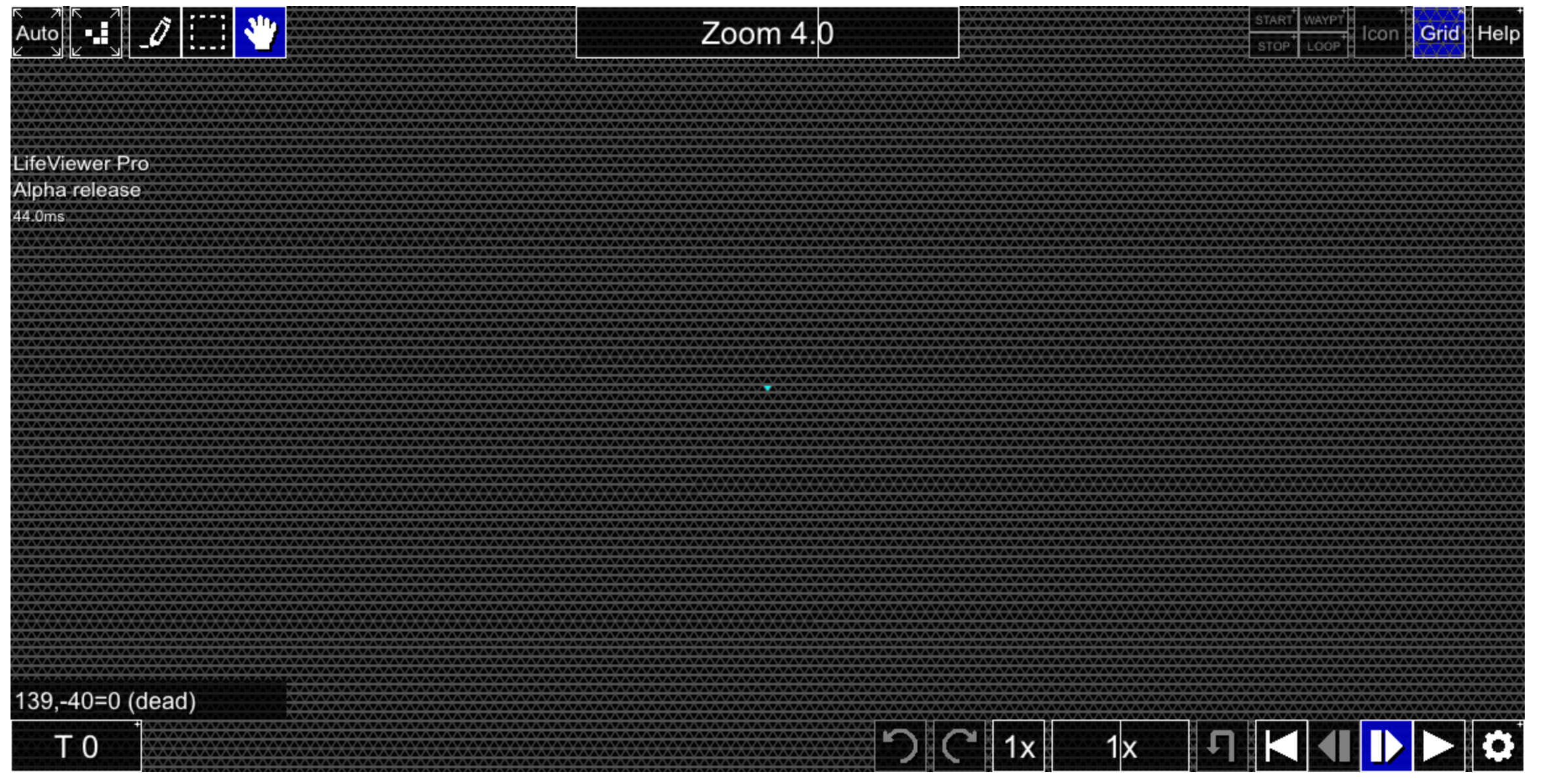
Is it at all possible to fix these visual artifacts on the hexagonal and triangular grids? These screenshots have a pixel ratio of 2.00 and both scale and window zoom values of 1.00. Note the periodic "waves" on the hexagonal grid, as well as areas on the triangular grid where horizontal grid lines are less thick than the others:

Code: Select all

x = 1, y = 1, rule = B/S0H
o!
[[ GRID ZOOM 4 ]]

Code: Select all

x = 1, y = 1, rule = B/S0L
o!
[[ GRID ZOOM 4 ]]
IMG_2287.jpeg
IMG_2287.jpeg (1.56 MiB) Viewed 1335 times
IMG_2288.jpeg
IMG_2288.jpeg (1.72 MiB) Viewed 1335 times
rowett wrote: February 21st, 2025, 1:25 pm
muzik wrote: February 21st, 2025, 11:01 am I tried editing some of the icons for buttons, but when I built LifeViewer it still used the old graphics. Both .png and .bmp were replaced with updated versions. Why is this?
Because LifeViewer embeds the icons in lv-plugin.js as I only want to distribute a single file. They used to be embedded as an image but that no longer works because of CSP. Now the icons get converted and compressed by custom code. At some stage I'll release that but it's low on the priority list.
Since the code isn't public yet can I provide an updated icons.png that can be added manually?
Parity Replicator Collection v1.6 is now live - please send all relevant discoveries here.
User avatar
muzik
Posts: 6558
Joined: January 28th, 2016, 2:47 pm
Location: Scotland

Re: Pattern viewer for forum threads

Post by muzik »

What's the correct way to track moving patterns on a hexagonal or triangular grid?

According to the coordinates at the bottom right, this pattern moves 0 cells on the x axis and 1 cell on the y axis. So you'd expect that putting TRACK 0 -1/5 would work, but it instead moves the camera directly up as though we're on the square grid:

Code: Select all

x = 7, y = 7, rule = B2/S3H
o$2b2o$o3bo$3bo2bo$b2o$4bobo$5bo!
[[ COLOR POLY Red TRACK 0 -1/5 POLYLINE -1 -3 7 1 7 9 -1 5 -1 -3 32 ]]
Annotation commands such as POLYTRACK and LABELTRACK behave as we may expect, though: they follow this spaceship perfectly.

Code: Select all

x = 7, y = 7, rule = B2/S3H
o$2b2o$o3bo$3bo2bo$b2o$4bobo$5bo!
[[ COLOR POLY Red POLYTRACK 0 -1/5 POLYLINE -1 -3 7 1 7 9 -1 5 -1 -3 32 ]]
Also note that in the first pattern, despite not specifying POLYTRACK at all, the rectangle still moves, just not with the camera. Is this intended?

A better test case for something reported previously: all but four of the history cells here do not fade at all. If we draw a cell somewhere then initiate playback, a rectangle of cells will then start to fade, from the origin to that newly drawn cell. If there are any surviving cells, the box will spread.

Code: Select all

x = 1, y = 1, rule = R1,C2,S2-3,B3
!
[[ MAXGRIDSIZE 9 PASTEMODE XOR PASTET EVERY 1 PASTEDELTA 0 1 PASTE 512o! -256 -256 PASTE 512o! -256 -256 X 0 Y 0 ZOOM 1 STARTFROM 576 SHOWGENSTATS ]]
Something else I've noticed: maximizing popups will correctly expand the zoom bar, but if we close a popup then open another one, then despite it opening in fullscreen, the zoom bar is now at the wrong width. Before:
IMG_2313.jpeg
IMG_2313.jpeg (2.14 MiB) Viewed 1270 times
After:
IMG_2314.jpeg
IMG_2314.jpeg (2.15 MiB) Viewed 1270 times
When LifeViewer crashes, can the message be expanded to instruct the user to refresh the page?

It now no longer appears to be possible to zoom to exactly 64.0 using the bar (though fitting to patterns and other such commands will reach this value).
Parity Replicator Collection v1.6 is now live - please send all relevant discoveries here.
User avatar
R2INT
Posts: 775
Joined: July 2nd, 2024, 7:42 pm

Re: Pattern viewer for forum threads

Post by R2INT »

When I brute-force patterns, the keyboard shortcut I use is R -> Alt-<arrow key> -> Enter, pressed in rapid succession. However, sometimes I mess it up:
  • If I type Alt-R -> arrow key -> Enter, it opens the rule select screen. If I press Cancel, then LifeViewer is deselected and Alt+Left attempts to move to the previous page.
  • Additionally, if I type Alt+R -> Alt+Left, it automatically leaves the page without prompting me. This could result in data loss.
EDIT: The clipboard bug appears to be more likely to occur when the top row of the pattern you are copying is empty.
Range-2 INT
R2INT's Rule Collection

Currently missing OCA catalyst search software and OCA conduit search software (the one I have is hardcoded to B3/S23-a5)
User avatar
rowett
Moderator
Posts: 4570
Joined: January 31st, 2013, 2:34 am
Location: UK
Contact:

Re: Pattern viewer for forum threads

Post by rowett »

R2INT wrote: October 31st, 2025, 1:53 pm Additionally, if I type Alt+R -> Alt+Left, it automatically leaves the page without prompting me. This could result in data loss.
LifeViewer doesn't prompt when navigating away from a page here on the forums or Wiki. I think it would be too annoying. It does do this on the LifeViewer home page.
R2INT wrote: October 31st, 2025, 1:53 pm EDIT: The clipboard bug appears to be more likely to occur when the top row of the pattern you are copying is empty.
Which clipboard bug?
User avatar
muzik
Posts: 6558
Joined: January 28th, 2016, 2:47 pm
Location: Scotland

Re: Pattern viewer for forum threads

Post by muzik »

In Help > Themes, is it correct for DEAD and DEADRAMP to be displayed if HISTORYSTATES is set to a sufficiently low value that there exists no fading behaviour? To my knowledge, there's no in-viewer way to set the number of history states back to the default value.

Code: Select all

x = 3, y = 3, rule = B3/S23
o$obo$2o!
[[ HISTORYSTATES 1 STARTFROM 20 ]]

Code: Select all

x = 3, y = 3, rule = B3/S23
o$obo$2o!
[[ HISTORYSTATES 0 STARTFROM 20 ]]
Compare the Generations rulespace, which does eliminate these two values if sufficiently many states exist to necessitate this:

Code: Select all

x = 2, y = 2, rule = /2/255
BA$BA!

Code: Select all

x = 2, y = 2, rule = /2/256
BA$BA!
On a related note: Help > Themes will say for this that there's only 1 state from ALIVE to ALIVERAMP, but should it be two since there's two alive colours? (In general, one more than is specified in AGESTATES)

Code: Select all

x = 8, y = 5, rule = B3-n4nt5qr6i/S23
3b3o$bo5bo$o$o6bo$7o!
[[ AGESTATES 1 COLOR ALIVE Red COLOR ALIVERAMP Cyan COLOR DEAD Black COLOR DEADRAMP Black ]]
muzik wrote: October 29th, 2025, 2:28 pmIt now no longer appears to be possible to zoom to exactly 64.0 using the bar (though fitting to patterns and other such commands will reach this value).
For some reason this only appears to affect touchscreens; on PC 64.0 is reachable.
Parity Replicator Collection v1.6 is now live - please send all relevant discoveries here.
Post Reply